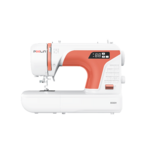
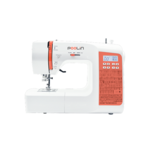
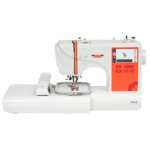
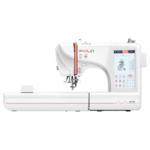
Find support for your PooLin machine

Get started with our YouTube tutorials
1 EOC01
1.1 Where can I download the EOC01 manual ?
1.2 Where can I download the Firmware 'Institch OS'? (Update via USB)
You can easily install the latest version through the interface on your machine when you machine is connected with WiFi.
If you would like to download the firmware and install it through USB stick you can download it here:
Download your machines firmware here (select your machine on the left side)
2 EOC02
2.1 Where can I download the EOC02 manual ?
2.2 Where can I download the Firmware 'Institch OS'? (Update via USB)
You can easily install the latest version through the interface on your machine when you machine is connected with WiFi.
If you would like to download the firmware and install it through USB stick you can download it here:
Download your machines firmware here (select your machine on the left side)
3 EOC03
3.1 Where can I download the EOC03 manual ?
3.2 Where can I download the Firmware 'Institch OS'? (Update via USB)
You can easily install the latest version through the interface on your machine when you machine is connected with WiFi.
If you would like to download the firmware and install it through USB stick you can download it here:
Download your machines firmware here (select your machine on the left side)
3.3 How can I turn off the beeping sounds?
You can turn off the beeping sound when pressing buttons by following these steps on your embroidery machine:
1. Press the menu (9 little squares) in the top left corner of the screen.
2. Go to "Parameters".
3. Look for the "Buzzer switch" setting.
4. Turn this off.
5. Click Save in the top right corner of the screen.
The sound should be turned off now.
3.4 I'm unable to connect my machine through wifi / incorrect password error
All PooLin embroidery machines only support 2.4GHz Wi-Fi.
The 2.4GHz network needs to be broadcast separately and cannot share the same Wi-Fi name with the 5GHz network.
If the machine shows an incorrect password prompt, please double-check your Wi-Fi password, paying attention to upper/lower case letters and special characters.
Ensure to have the lastest firmware installed.
This video explains how to upgrade the firmware on the EOC06 but it is the same process for the other machines.
4 EOC05
4.1 Where can I download the EOC05 manual ?
4.2 Where can I download the Firmware 'Institch OS'? (Update via USB)
You can easily install the latest version through the interface on your machine when you machine is connected with WiFi.
If you would like to download the firmware and install it through USB stick you can download it here:
Download your machines firmware here (select your machine on the left side)
4.3 How can I turn off the beeping sounds?
You can turn off the beeping sound when pressing buttons by following these steps on your embroidery machine:
1. Press the menu (9 little squares) in the top left corner of the screen.
2. Go to "Parameters".
3. Look for the "Buzzer switch" setting.
4. Turn this off.
5. Click Save in the top right corner of the screen.
The sound should be turned off now.
4.4 I'm unable to connect my machine through wifi / incorrect password error
All PooLin embroidery machines only support 2.4GHz Wi-Fi.
The 2.4GHz network needs to be broadcast separately and cannot share the same Wi-Fi name with the 5GHz network.
If the machine shows an incorrect password prompt, please double-check your Wi-Fi password, paying attention to upper/lower case letters and special characters.
Ensure to have the lastest firmware installed.
This video explains how to upgrade the firmware on the EOC06 but it is the same process for the other machines.
5 EOC06
5.1 Where can I download the EOC06 manual ?
5.2 Where can I download the Firmware 'Institch OS'? (Update via USB)
You can easily install the latest version through the interface on your machine when you machine is connected with WiFi.
If you would like to download the firmware and install it through USB stick you can download it here:
Download your machines firmware here (select your machine on the left side)
5.3 How can I turn off the beeping sounds?
You can turn off the beeping sound when pressing buttons by following these steps on your embroidery machine:
1. Press the menu (9 little squares) in the top left corner of the screen.
2. Go to "Parameters".
3. Look for the "Buzzer switch" setting.
4. Turn this off.
5. Click Save in the top right corner of the screen.
The sound should be turned off now.
5.4 I'm unable to connect my machine through wifi / incorrect password error
All PooLin embroidery machines only support 2.4GHz Wi-Fi.
The 2.4GHz network needs to be broadcast separately and cannot share the same Wi-Fi name with the 5GHz network.
If the machine shows an incorrect password prompt, please double-check your Wi-Fi password, paying attention to upper/lower case letters and special characters.
Ensure to have the lastest firmware installed.
This video explains how to upgrade the firmware on the EOC06 but it is the same process for the other machines.
6 EOC07
6.1 Where can I download the EOC07 manual ?
6.2 Where can I download the Firmware 'Institch OS'? (Update via USB)
You can easily install the latest version through the interface on your machine when you machine is connected with WiFi.
If you would like to download the firmware and install it through USB stick you can download it here:
Download your machines firmware here (select your machine on the left side)
6.3 I'm unable to connect my machine through wifi / incorrect password error
All PooLin embroidery machines only support 2.4GHz Wi-Fi.
The 2.4GHz network needs to be broadcast separately and cannot share the same Wi-Fi name with the 5GHz network.
If the machine shows an incorrect password prompt, please double-check your Wi-Fi password, paying attention to upper/lower case letters and special characters.
Ensure to have the lastest firmware installed.
This video explains how to upgrade the firmware on the EOC06 but it is the same process for the other machines.
7 EOM
7.1 Where can I download the EOM manual ?
7.2 Where can I download the Firmware 'Institch OS'? (Update via USB)
You can easily install the latest version through the interface on your machine when you machine is connected with WiFi.
If you would like to download the firmware and install it through USB stick you can download it here:
Download your machines firmware here (select your machine on the left side)
7.3 How can I turn off the beeping sounds?
You can turn off the beeping sound when pressing buttons by following these steps on your embroidery machine:
1. Press the menu (9 little squares) in the top left corner of the screen.
2. Go to "Parameters".
3. Look for the "Buzzer switch" setting.
4. Turn this off.
5. Click Save in the top right corner of the screen.
The sound should be turned off now.
7.4 I'm unable to connect my machine through wifi / incorrect password error
All PooLin embroidery machines only support 2.4GHz Wi-Fi.
The 2.4GHz network needs to be broadcast separately and cannot share the same Wi-Fi name with the 5GHz network.
If the machine shows an incorrect password prompt, please double-check your Wi-Fi password, paying attention to upper/lower case letters and special characters.
Ensure to have the lastest firmware installed.
This video explains how to upgrade the firmware on the EOC06 but it is the same process for the other machines.
8 EOV
8.1 Where can I download the EOV manual ?
8.2 Where can I download the Firmware 'Institch OS'? (Update via USB)
You can easily install the latest version through the interface on your machine when you machine is connected with WiFi.
If you would like to download the firmware and install it through USB stick you can download it here:
Download your machines firmware here (select your machine on the left side)
8.3 How can I turn off the beeping sounds?
You can turn off the beeping sound when pressing buttons by following these steps on your embroidery machine:
1. Press the menu (9 little squares) in the top left corner of the screen.
2. Go to "Parameters".
3. Look for the "Buzzer switch" setting.
4. Turn this off.
5. Click Save in the top right corner of the screen.
The sound should be turned off now.
8.4 I'm unable to connect my machine through wifi / incorrect password error
All PooLin embroidery machines only support 2.4GHz Wi-Fi.
The 2.4GHz network needs to be broadcast separately and cannot share the same Wi-Fi name with the 5GHz network.
If the machine shows an incorrect password prompt, please double-check your Wi-Fi password, paying attention to upper/lower case letters and special characters.
Ensure to have the lastest firmware installed.
This video explains how to upgrade the firmware on the EOC06 but it is the same process for the other machines.
9 EOX
9.1 Where can I download the EOX manual ?
10 Institch
10.1 Where can i find the user interface manual?
10.2 I'm unable to connect my machine through wifi / incorrect password error
All PooLin embroidery machines only support 2.4GHz Wi-Fi.
The 2.4GHz network needs to be broadcast separately and cannot share the same Wi-Fi name with the 5GHz network.
If the machine shows an incorrect password prompt, please double-check your Wi-Fi password, paying attention to upper/lower case letters and special characters.
Ensure to have the lastest firmware installed.
This video explains how to upgrade the firmware on the EOC06 but it is the same process for the other machines.
11 Consumables
11.1 Embroidery thread colour charts Pantone Matching System /PMS (Poolin, Madeira & Pantone)
11.2 Which needles are supplied with the PooLin single-needle embroidery machines? (EOC range)
The PooLin single-needle embroidery machines now come supplied with 130/705 H-E 80/12 needles.
Previously, these machines were supplied with 130/705 H-E 90/14 needles. While the larger 90/14 needles are very durable and perform well on thicker fabrics, they can leave larger needle holes in lighter fabrics, which may affect the overall finish of the embroidery.
The new 80/12 needles offer the best of both worlds. They are strong enough for most embroidery projects while producing cleaner, more refined results on lighter fabrics.
11.3 Can I use industrial embroidery machine needles in my PooLin machine?
No. Home single-needle embroidery machines and industrial multi-needle embroidery machines use different needle systems, even if the needle size (such as 75/11 or 80/12) is the same.
| Machine Type |
Needle System |
Common Sizes |
Shank Type |
| PooLin Single-Needle Embroidery Machine |
130/705 H-E (HA×1) |
75/11, 80/12, 90/14 |
Flat shank |
| Industrial Multi-Needle Embroidery Machine |
DB×K5 |
75/11, 80/12, 90/14 |
Round shank |
12 Other questions
12.1 Which payment methods can I use?
You can view all available payment options during the checkout process.
Please note that payment methods may vary depending on your device, country or region. Not all options may be available in every location.
We generally offer the following payment methods:
- Credit card
- Debit card
- Bank transfer
- PayPal
- Google Pay
- Apple Pay
For more information about a payment method, you can visit their website or contact your bank.
Please note that it can take multiple days for banks to process payments using bank transfer. Your order will be not be processed until the payment has been received.
When a payment method offers the option to buy on credit or in installments, this is conditional on the payment provider's credit approval.
PooLin Europe does not have any control over the credit approval process. Any questions about this should be directed to the payment method in question.
13 Can't find your answer?
13.1 Contact our support